Connecting Headphones
You can connect wired or Bluetooth headphones to this TV.
Connecting wired headphones
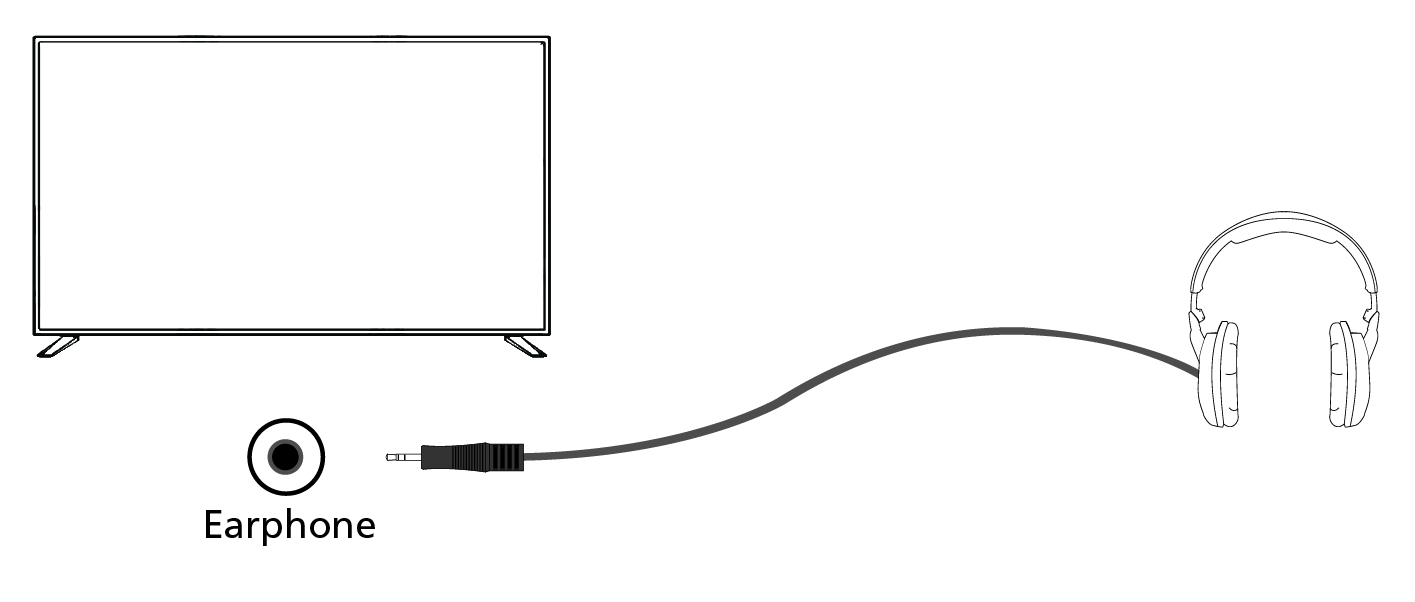
When wired headphones are connected to the TV's 3.5 mm headphone jack, you can choose whether to output sound through the headphones only or through both the headphones and the TV speakers. To change this setting, press the XXX.GST (Quick Settings) button and select [All settings] > [Display and sound] > [Audio output] > [Audio output device]. Select [HP] to output sound through the headphones only, or select [SPK + HP] to output sound through both the headphones and the TV speakers.
The headphone volume is controlled using the VOL+ and VOL- buttons on the remote control.
Connecting Bluetooth headphones
Pairing of Bluetooth headphones with the TV:
1.Press the XXX.GHM (Home) button to access the Home screen.
2.Activate the pairing function on your headphones. Please refer to the user manual of your headphones to find out how.
3.Press the XXX.GST (Quick Settings) button to open the Quick Settings menu.
4.Navigate to [All settings] > [Remotes and accessories] > [Pair accessory].
5.The name of your headphones will appear on the TV screen. Select them and press OK to confirm the pairing.
To connect paired Bluetooth headphones:
1.Press the XXX.GST (Quick Settings) button on the remote control, then select [All settings] > [Remotes and accessories].
2.Select the paired but disconnected headphones. Ensure the headphones are powered on.
3.Select [Connect].
When Bluetooth headphones are connected to the TV, you can choose whether to output sound through the headphones only or through both the headphones and the TV speakers. To change this setting, press the XXX.GST (Quick Settings) button and select [All settings] > [Display and sound] > [Audio output] > [Audio output device]. Select [BT] to output sound through the headphones only, or select [SPK + BT] to output sound through both the headphones and the TV speakers.
The headphone volume is controlled using the VOL+ and VOL- buttons on the remote control.
Note:
Avoid using excessive volume with headphones for prolonged periods, as this may cause hearing damage.