Remote control parts description
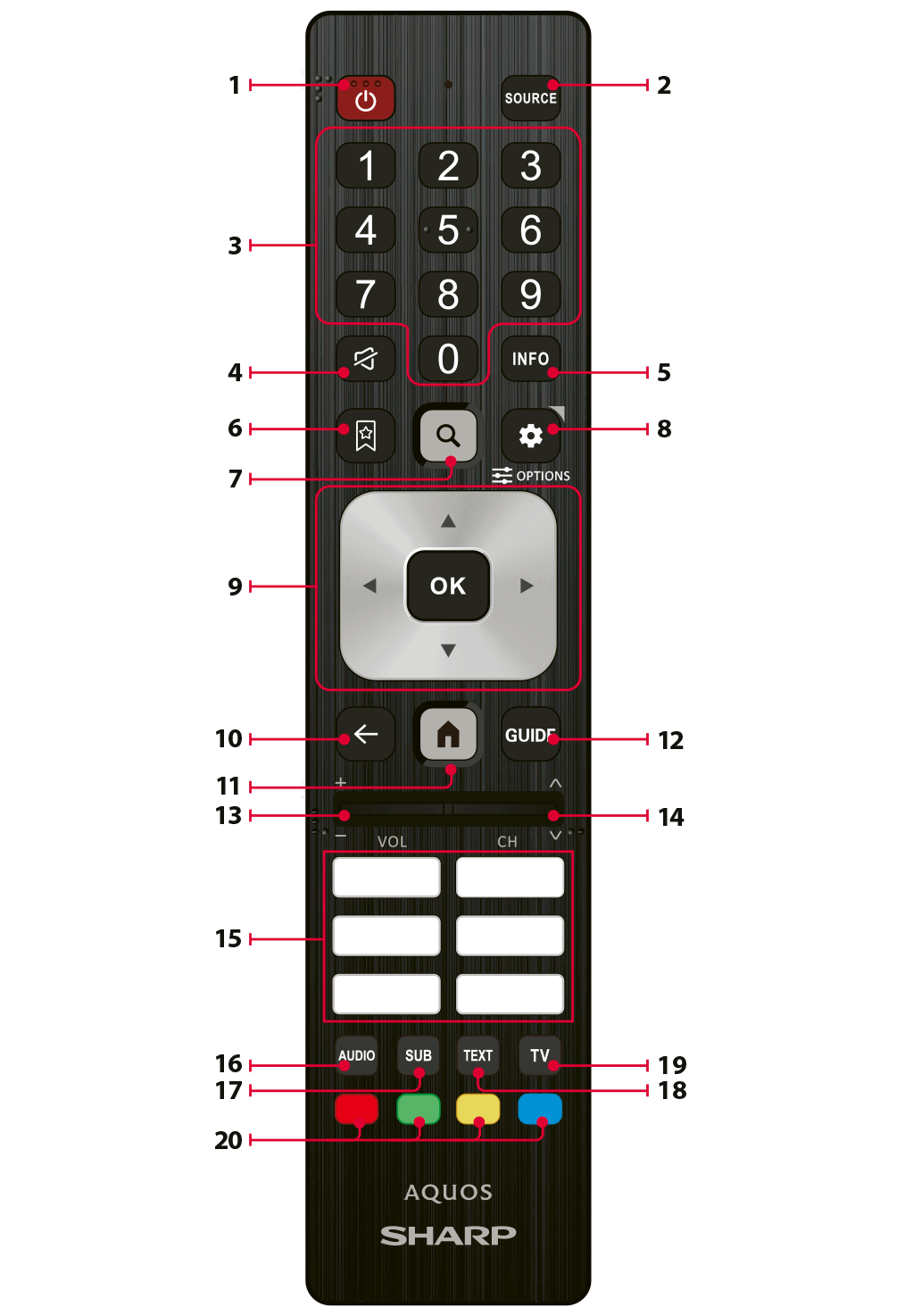
1.STANDBY – Switches the TV on from standby mode or puts it into standby mode.
2.SOURCE – Displays the input/source menu.
3.NUMBER BUTTONS – Use 0–9 to select a TV channel directly.
4.MUTE – Mutes or restores the sound.
5.INFO – Press once to view information about the programme you are currently watching. While the information panel is displayed, press ► to view information about the upcoming programme.
6.FAVOURITE – Opens the list of favourite channels.
7.SEARCH – Opens the on-screen keyboard to search for information and display results on the screen.
8.SETTINGS – Short press: Displays the Quick Settings menu. Long press: Displays the Options menu.
9.(▲/▼/◄/►/OK) – Allows you to navigate the on-screen menus and adjust system settings.
10.BACK – Returns to the previous menu or screen.
11.HOME – Displays the TV Home screen.
12.GUIDE – Opens the 7-day TV guide (digital TV mode only).
13.VOL +/- – Tilt to increase or decrease the volume level.
14.CH +/- – Tilt to switch to the next or previous channel.
15.APP KEYS – Provide quick and direct access to specific applications. The dedicated buttons vary by model and region.
16.AUDIO – Opens the audio track menu.
17.SUB – Turns subtitles on or off.
18.TEXT – Turns Teletext on or off.
19.TV – Switches to the last watched TV source.
20.COLOUR BUTTONS – Perform the corresponding function indicated on the screen.